In today’s fast-paced world, technology plays a pivotal role in shaping industries, and interior design is no exception. From simplifying workflows to creating stunning visuals, digital tools have transformed the way designers approach projects. Whether you’re a beginner exploring creative possibilities or a seasoned professional managing complex client demands, using the right apps can save time, improve efficiency, and enhance the quality of your work.
With the advent of AI-powered interior design tools and advanced interior design software, the opportunities for innovation are endless. These apps not only enhance creativity but also provide insights, streamline workflows, and allow you to present your ideas with unparalleled precision.
Below, we’ll delve into some of the best interior design programs, catering to different needs and expertise levels.
Why Should You Use Interior Design Apps?’
Interior design apps have become indispensable for modern designers. They’re not just tools for visualization but also powerful assistants for planning, organizing, and executing projects.
Here’s why you should incorporate them into your workflow:
- Efficiency: These apps save time by automating tasks such as creating floor plans, sourcing materials, or visualizing spaces in 3D.
- Faster Proposals: Using highly-automated apps can relieve you of tedious manual tasks and result in faster proposals for your clients.
- Precision: Tools like 3D floor plans and CAD software allow for highly accurate designs, ensuring your ideas translate seamlessly into reality.
- Collaboration: Many apps facilitate communication with clients and team members by enabling real-time sharing and feedback.
- Innovation: AI-powered apps, in particular, bring fresh ideas and personalized solutions that can help you stand out in a competitive industry.
- Accessibility: With mobile apps, you can work on-the-go, capturing measurements, and updating designs from anywhere.
Whether you’re designing for personal projects or working with clients, these tools empower you to deliver professional-grade results efficiently.
The Rise of AI in Interior Design
It is no secret that Artificial Intelligence (AI) has opened new doors in the field of interior design services. So why miss out on their immense potential?
AI-powered tools can analyze user preferences, optimize layouts, and suggest design elements tailored to specific needs. These apps use advanced algorithms to automate tedious processes, allowing designers to focus on creativity and innovation.
For beginners, AI provides an accessible starting point by simplifying complex tasks. For professionals, it’s a game-changer, offering deeper insights and streamlining workflows. AI interior design tools are particularly valuable for:
- Quickly experimenting with different styles and layouts.
- Generating personalized design recommendations.
- Identifying potential issues in a design before execution.
As we explore the top interior design apps, you’ll see how AI is transforming the industry and improving the design process.
Our Top Recommendations for Interior Designers
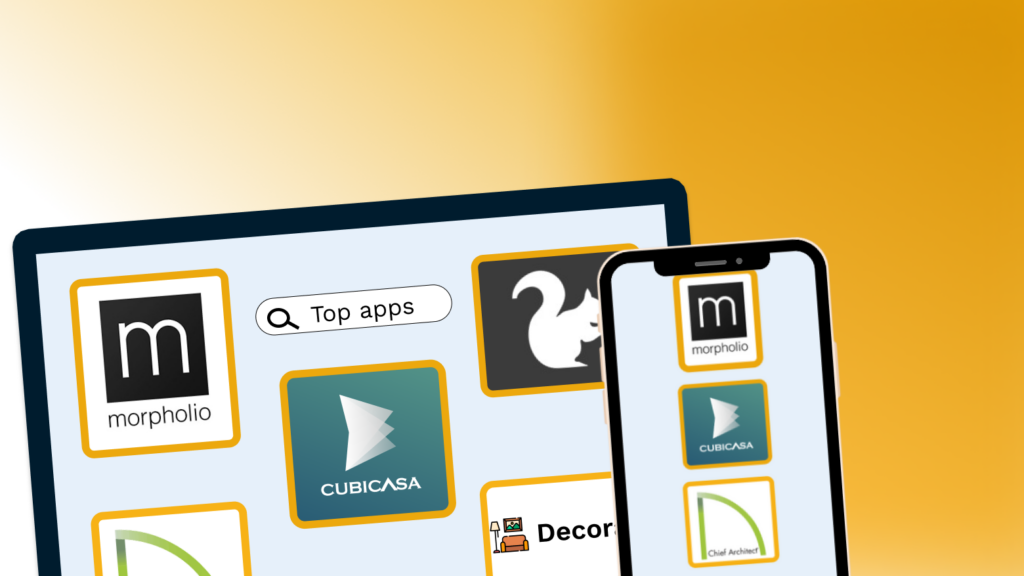
1. Decoratly: Simplifying AI-Driven Interior Design
For those seeking an easy AI interior design solution, Decoratly is a standout choice. This app for interior designers blends artificial intelligence with human creativity to provide personalized design recommendations based on user input. It helps you visualize furniture arrangements, explore various styles, and create cohesive spaces that reflect your preferences.
Key Features:
- AI-powered suggestions tailored to your tastes and space.
- Extensive catalog of furniture and decor to experiment with layouts.
- Tools to generate realistic mockups and explore different styles quickly.
Why It Stands Out: Decoratly’s user-friendly interface and AI-driven approach make it accessible for beginners while still offering depth for professionals. The app’s ability to generate cohesive designs tailored to user preferences ensures that your space not only looks good but also feels right.
Who Is It For?: Ideal for beginners looking to design their own spaces with ease or professionals seeking quick style ideas for clients.
2. CubiCasa: Fast, Accurate Floor Plans & CAD files
When it comes to creating accurate and professional 2D or 3D floor plans quickly, CubiCasa is unmatched. The app allows you to scan a space with your smartphone in under 5 minutes and generate precise floor plans, renderings and CAD files without the need for complicated or specialized tools. This process takes away manual and time-consuming tasks, allowing you to focus more on creating faster and detailed proposals.
Key Features:
- Create 2D and 3D floor plans in minutes with just your phone camera.
- Export automatically-generated CAD files. You can then upload them to any professional software and further customize them. Test some CAD samples here.
- Saves time while delivering high-quality results for client presentations or personal projects.
- Compatible with third party softwares: AutoCAD, Sketchup, Revit, 3ds Max, Blender, Archicad, Chief Architect, Cedreo and more.
Why It Stands Out: CubiCasa combines speed and ease of use with powerful features like CAD file generation and 3D renderings—making it an ideal solution for interior designers and architects looking to streamline and enhance their design process.
Who Is It For?: Both beginners and professionals in need of a fast, dependable tool to create professional-grade CAD files, floor plans and layouts.
When ordering the CAD files you will receive a a bundle of files
- 2D CAD file in .dwg
- 3D CAD file in .dwg
- Colada file in .dae
- .fbx file
- .obj file
3. Home Designer Suite: All-in-One Design Tool
A less advanced, simpler but still powerful version of Chief Architect, Home Designer Suite is a robust interior design program perfect for creating layouts and exploring remodeling ideas. It’s great for both designing interiors and planning structural changes.
Key Features:
- 2D and 3D drawing tools for planning spaces and visualizing layouts.
- Features for remodeling, including wall restructuring and roof modeling.
- Ability to customize cabinets, lighting, and furnishings with precision.
Why It Stands Out: Home Designer Suite bridges the gap between simplicity and functionality, making it suitable for users at varying skill levels. The 3D visualization tools provide a realistic sense of space, allowing you to experiment confidently with layouts and designs.
Who Is It For?: Best for intermediate to advanced users who want more control over remodeling projects and detailed designs.
4. Gather: Streamline Your Interior Design Workflow
Gather is a versatile project management tool specifically tailored for interior designers. It provides a centralized platform for managing design projects, enabling teams to track products, communicate with stakeholders, and create professional deliverables effortlessly.
Key Features:
- Sourcing: Save images of products, materials, and ideas to a secure library for easy access and reuse.
- Communication: Organize vendor contacts and streamline sharing with suppliers, clients, and team members.
- Management: Assign project tasks, track budgets and deadlines, and keep everyone on the same page.
- Export: Generate polished reports and presentations for clients and contractors with just a few clicks.
- Collaboration: Real-time updates and messaging ensure all team members stay informed about changes and progress.
Why It Stands Out: Gather excels in improving organization and communication. By offering tools that streamline every aspect of a project, it helps design teams stay focused on creativity and execution.
Who Is It For?: Perfect for professional designers managing multiple projects or working in collaborative environments.
5. Morpholio App: Where Creativity Meets Precision
The Morpholio App suite includes tools for mood boarding, sketching, and professional presentation. This interior designer app is an ideal choice for designers who love to combine artistic freedom with technical precision.
Key Features:
- Create stunning mood boards with the Morpholio Board app.
- Annotate designs with Morpholio Trace for seamless collaboration.
- Extensive library of design elements and templates.
Why It Stands Out: The app’s versatility and focus on creativity make it a favorite among designers who want to communicate their ideas effectively. The ability to annotate designs directly is particularly useful for client presentations.
Who Is It For?: Designers at all levels who want to enhance creativity and client communication through polished presentations.
Conclusion: Choose the Right Tool for Your Needs
The best interior design apps offer a mix of functionality and ease of use, catering to both novices and seasoned professionals. Whether you’re managing projects, exploring design ideas, or creating precise floor plans, there’s a tool to suit your needs.
By integrating these apps into your workflow, you can elevate your designs, save time, and impress clients with polished and professional results. Try these interior design programs to unlock your creative potential and transform your projects with ease.
In the following video, you can see how CubiCasa was used for renovation projects, immensely helping with space planning, as well as other tech tips you will find useful: