Home inspections are no walk in the park. Imagine spending hours meticulously examining a property, only to be bogged down by tedious report writing and clunky measurement methods. It’s a common frustration for inspectors who juggle tight schedules, high client expectations, and the need for accuracy. The struggle to balance efficiency with thoroughness can leave even the most seasoned professionals feeling stretched thin.
But what if there was a better way? What if you could trade in the hassle for streamlined processes, precise results, and tools that work as hard as you do? That’s where technology steps in. Today’s innovative apps are transforming the home inspection landscape, making it easier than ever to deliver top-notch service while saving time and effort. From generating detailed floor plans to crafting polished reports, these apps are the ultimate game-changers for home inspectors. Let’s dive into the must-have tools that can elevate your inspections to the next level.
What to look out for?
In the fast-paced world of home inspections, having the right tools can make all the difference. Today’s home inspectors need to be efficient, accurate, and professional while delivering top-notch services to clients. Mobile applications are transforming the way home inspections are conducted, offering powerful tools to streamline processes and enhance professionalism. Here’s what to look for in apps that can streamline your workflow:
- Efficiency: The ideal app should save time on-site and reduce time spent on administrative tasks.
- Accuracy: Precise measurements and detailed floor plans are crucial.
- Comprehensive Reporting: The ability to generate detailed reports with photos and other documentation is essential.
- User-Friendly: An easy-to-use interface that requires minimal training is a must.
- Integration: Seamless integration with other tools and platforms used by home inspectors will be beneficial.
Are you tired of spending hours manually drawing properties on paper after an inspection? Do you struggle with accurately capturing room dimensions and layouts, and then transferring them to your reports? You are not alone. Many home inspectors face these challenges, which can be time-consuming and impact efficiency.
CubiCasa: Your All-In-One Floor Plan Solution
CubiCasa is a leading floor plan app used by a wide range of real estate professionals, including home inspectors.
Unlike traditional methods that involve using laser measurements, drawing by hand on paper, and transferring the information to sketching software, CubiCasa allows you to scan an entire property and obtain measurements in minutes. All you need is your smartphone.
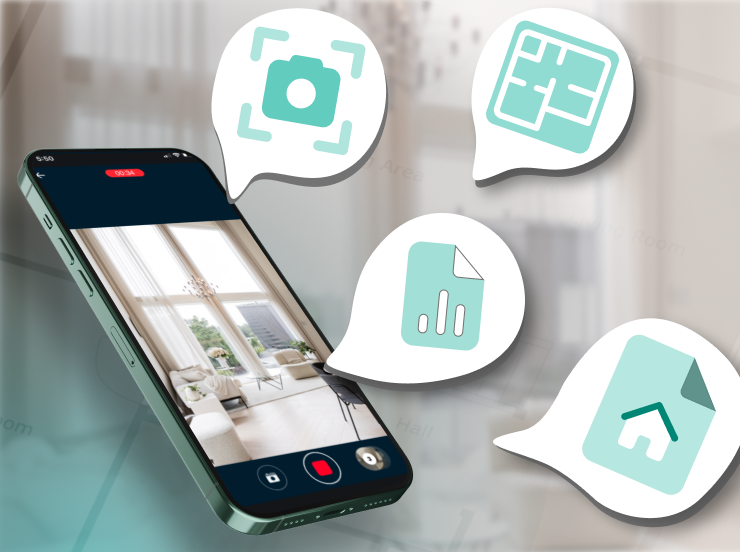
From clear and detailed 2D floor plans to advanced reporting features, these solutions help professionals save time, enhance accuracy, and deliver exceptional value to clients. Here’s a closer look at the key features that are simplifying the life of real estate professionals and inspectors alike:
- 2D Floor Plans: The cornerstone of CubiCasa’s offerings, 2D floor plans provide a clear and accurate layout of the property. LITE, the free version, delivers a basic black and white floor plan. PLUS offers a 2D floor plan with fixed furniture, ideal for showcasing the property’s potential.
- GLA Report: This add-on provides accurate Gross Living Area measurements based on ANSI Z765 standards, crucial for appraisals and valuations.
- Home Report: Generate a comprehensive fact sheet with room dimensions, square footage, and a detailed list of features.
- Snapshots: Capture and document specific areas of the property with snapshots linked to their locations on the floor plan. This provides context for potential issues or areas of interest and eliminates the need to walk through the property twice.
“ I’m definitely not an artist and CubiCasa is a game-changer for my business. From now, I go to a house, I take photos and I scan everything within 10 min with my phone. No more hand drawing or transferring to a software – CubiCasa does it for me! “ – John Luna (Insurance Adjuster)

Frequent Questions
Step 1: Download the CubiCasa App and sign up!
Step 2: Scan a property with your mobile device and upload when done.
Step 3: Next day – download your ready-to-use home plans.
Take snapshots while scanning, and save them on your device before you submit your order. If you purchase the PLUS or PLUS 3D package, you can also access the full Snapshots Report.
Try out now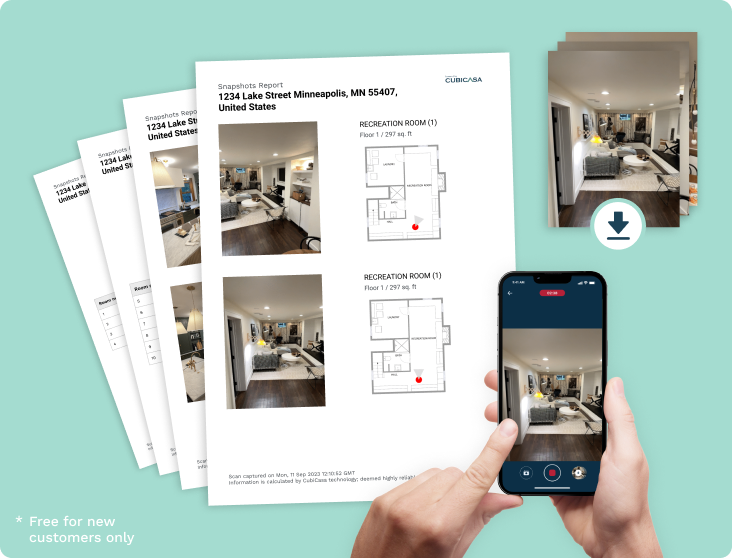
What do the Colors on the GLA plan mean?
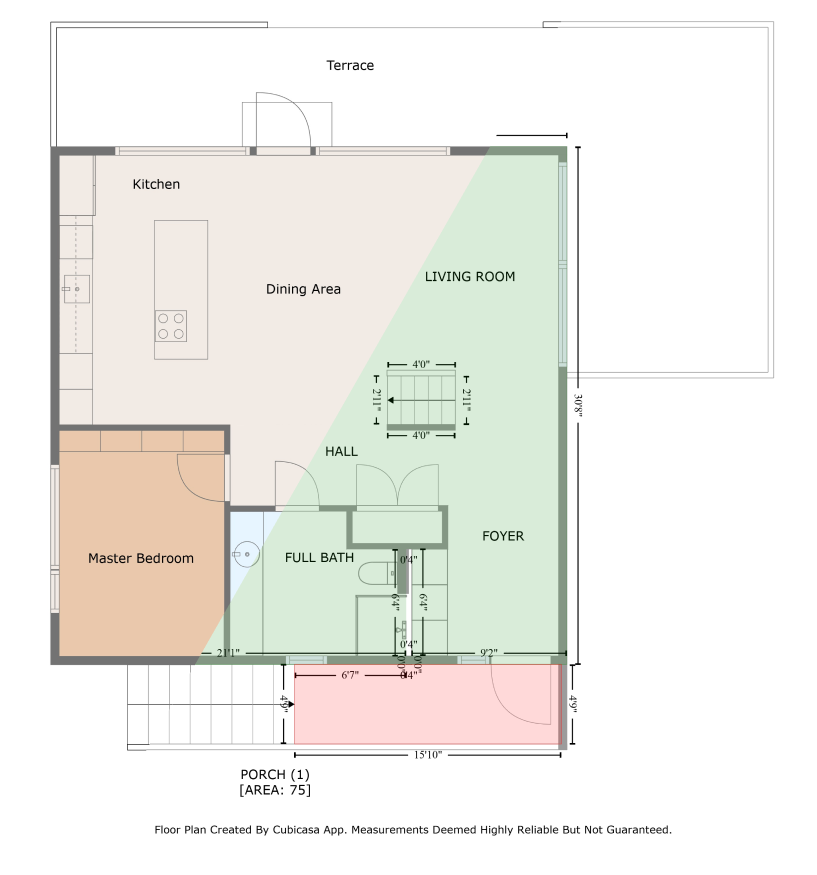
Every GLA floor plan come with preset colors which are used to clearly identify the various area types.
Green – Living areas
All these spaces are living areas which are included in the GLA calculation.
Red – Non living areas
These spaces are classified as non-living areas as they don’t have meet the requirements. You can read a detailed article here.
The floor plan will also display the list of the exclusion reason for each non-living area.
Yellow – Below grade living areas
Rooms are living areas which are below grade. Excluded below grade areas are shown in red
Purple – ADUs
We group spaces that are part of an ADU with that color.
Learn More
Why Floor Plans Matter in Home Inspections
Incorporating floor plan apps into your home inspection business offers numerous benefits:
- Enhanced Professionalism: Delivering detailed floor plans elevates your reports, showcasing your commitment to quality and thoroughness.
- Improved Client Communication: Visual aids like floor plans make it easier for clients to understand the layout of the property and identify potential issues.
- Increased Efficiency: Creating floor plans with apps is significantly faster than traditional methods, freeing up valuable time.
- Competitive Advantage: In a market where consumers increasingly expect detailed property information, offering floor plans gives you an edge.
- Reduced Liability: Accurate floor plans with precise measurements minimize the risk of errors that could lead to disputes or legal issues.
Floor plans have become an indispensable tool for modern home inspectors, and apps like CubiCasa are leading the charge in making this technology accessible and affordable. Embrace the power of these tools to streamline your workflow.
Other Apps to Consider
While CubiCasa stands out as a top choice, here are some other apps that can be helpful for home inspectors:

- Horizon Inspection Software: Can be used for overall inspection reporting.
- Tap Inspect: Good for mobile data collection, note-taking, and maintaining client support.
- Spectora: Helps with preparing checklists, on-site data collection, documentation, and client communication.
- Home Inspector Pro: Useful for scheduling, managing appointments, and creating customizable report templates.
Conclusion
In today’s fast-paced world, adopting new technologies is essential for success. Home inspectors need to leverage tools that save time, provide accurate data, and offer a competitive advantage. By incorporating apps like, Spectora, Tap Inspect or CubiCasa into your workflow, you can significantly improve your efficiency, deliver high-quality services, and enhance client satisfaction. As John Luna said, “If you are in the inspections industry and you are not using CubiCasa, you are losing the opportunity to work more efficiently, leading to more satisfied customers and better outcomes for all parties involved”. Embrace these innovative solutions and take your home inspection business to new heights.